mio Casino Mobile App
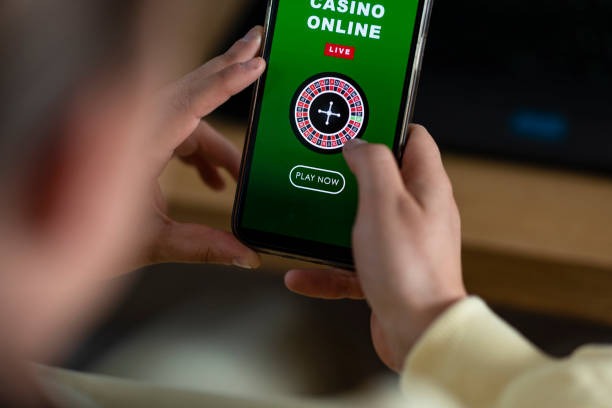
Accessing mio on your mobile device gives you direct entry to football markets, live-dealer tables, and slot games wherever you are. We at mio support Android and iOS users through multiple paths: a native Android APK for direct installation, iOS access via mobile browser, and a responsive web app that works on any device. Your account, balance, and betting history remain synchronized across all platforms.
- SHA256 Match
- LoginOTP Verification
- Update
- StartFirst Game
Mobile-first design on mio means faster load times, push notifications for live events and promotions, and offline-ready features so you can check your account balance or review recent transactions even without an active connection. Installation takes just a few minutes, and account verification via KYC is handled entirely through the app. Once verified, you can deposit using DANA, e-wallet, mobile banking, local payment, online payment, or direct bank transfer to e-wallet, mobile banking, local payment, or online payment.
This guide walks you through installing mio on Android or iOS, setting up your account with two-factor authentication, and navigating the app's core features. We also cover compatibility requirements, troubleshooting common install issues, and how mio keeps your data secure during installation and daily use.
How to Install mio on Your Device
Choose your installation path
Android users can download the APK directly from mio; iOS and web users access mio through their mobile browser. All three paths connect to the same account and balance.
Installation steps
- Download: On Android, enable "Unknown sources" in Settings, then tap the download link to fetch the mio APK file to your device.
- Install: Tap the APK file to launch the installer; follow the on-screen prompts to grant permissions and complete setup.
- Register or log in: Open mio and enter your username and password, or create a new account with email, password, and mobile number.
- Verify and start: Complete KYC verification by uploading an ID document, enable two-factor authentication, and deposit to access all markets and games.

App vs. Browser: Which Should You Use
The mio native app (Android) offers offline account access, faster response times for placing bets on Liga 1 and Piala AFF matches, push notifications for live events and cashback promotions, and optimized touch controls for slot games like Aviator and Sweet Bonanza. Push alerts ensure you never miss a promotion during Idul Fitri or Idul Adha holiday tournaments. The app also caches recent data, so you can view your betting history and balance without an active internet connection.
The mobile browser version works on any device—Android, iOS, or tablets—without installation and updates automatically. Both paths use the same encrypted connection and security protocols, so your choice depends on preference: native app for speed and notifications, browser for simplicity and cross-platform flexibility.
Device Compatibility and System Requirements
mio requires Android 7.0 or later and iOS 12.0 or later. The app works on standard smartphones and tablets. If your device runs an older operating system, use the mobile browser instead. The app file is optimized for devices with at least 100 MB free storage, and installation typically completes within seconds once the file is downloaded.
Troubleshooting Common Installation Issues
If you encounter an "Unknown sources" error on Android, go to Settings → Security → Unknown sources and enable installation from untrusted sources. Your device will prompt you to confirm this action. Some Android versions call this "Install unknown apps" instead. On iOS, you may see a certificate-trust warning; tap "Trust" when prompted by Safari or your browser to proceed.
If the APK download seems slow, check your internet connection and try again. If installation fails partway through, uninstall any previous version of mio and restart your device before retrying. If mio crashes on launch, clear the app cache through Settings → Apps → mio → Storage → Clear cache and try opening the app again. These steps resolve most installation and startup issues.
Data Protection, Permissions, and Account Security
mio requests permission to access your device's camera for KYC document upload, your microphone and speaker for live-dealer audio, and notifications to send you updates about bonuses and live events. We do not access your contacts, calendar, or files beyond those you explicitly upload during account verification. All data transmitted between your device and mio servers is encrypted using TLS 1.3 security protocols.
When you create a mio account via the app, we collect your name, email, mobile number, and identity document. This information is stored on secure servers and used only for account verification, payment processing, and anti-money-laundering (AML) compliance. We never sell or share your data with third parties. After you install mio, enable two-factor authentication in account settings to add an extra security layer. This ensures only you can log in, even if someone obtains your password.

Why mobile-first matters on mio
- Push notifications alert you to Liga 1 matches, esports tournaments, and weekly cashback offers
- Offline balance and history access so you stay informed without constant internet
- Faster bet placement and live-market responsiveness compared to browser
- Touch-optimized controls for slot games and live-dealer table interaction
- Automatic sync keeps your app current across devices when you switch phones
Getting Started After Installation
Once mio is installed and you have logged in, your first step is to complete KYC verification. Upload a clear photo of your national ID or passport, and our verification team reviews it within a standard review window. After approval, you can deposit funds via DANA, e-wallet, mobile banking, or local payment directly from your account settings.
Next, enable two-factor authentication by going to Security settings and linking your mobile number or an authenticator app. This protects your account from unauthorized access. After these steps, you can access all mio markets: Liga 1 and Piala Indonesia football betting, Piala AFF tournament markets, live blackjack and roulette tables, Dragon Tiger, and slot games including Aviator, Sweet Bonanza, and Gates of Olympus. You also become eligible for our new-member welcome offer, weekly cashback structure, and referral rewards.
Regional Support and Payment Integration
We at mio provide support via live chat, email, and in-app help for users across Jakarta, Surabaya, Bandung, Medan, and Semarang. If you experience app crashes, login issues, or payment questions, our support team is available to assist. Payment methods on mio include all major Indonesian options: online payment, e-wallet, mobile banking, local payment, online payment, e-wallet, and direct bank transfers to mobile banking, local payment, online payment, and e-wallet. Withdrawals are processed subject to account verification and standard review windows.
Android installation
Direct APK download, no app store required. Enable Unknown sources, install, and open mio within seconds.
iOS and web
Use Safari or your mobile browser to visit mio and bookmark it. Auto-updating, no installation needed.
Account sync
Your balance, bets, and history sync in real time across Android app, iOS browser, and desktop.
Security first
KYC verification, two-factor authentication, and encrypted data transmission protect your account on mio.